INVARIS Interactive: Process-driven individual letter writing with automated workflows
Make your document creation processes efficient and legally compliant. INVARIS Interactive controls the entire workflow from data capture and processing to archiving: with graphical configuration, seamless integration into your specialist procedures, and complete traceability of every step.
Your advantages at a glance
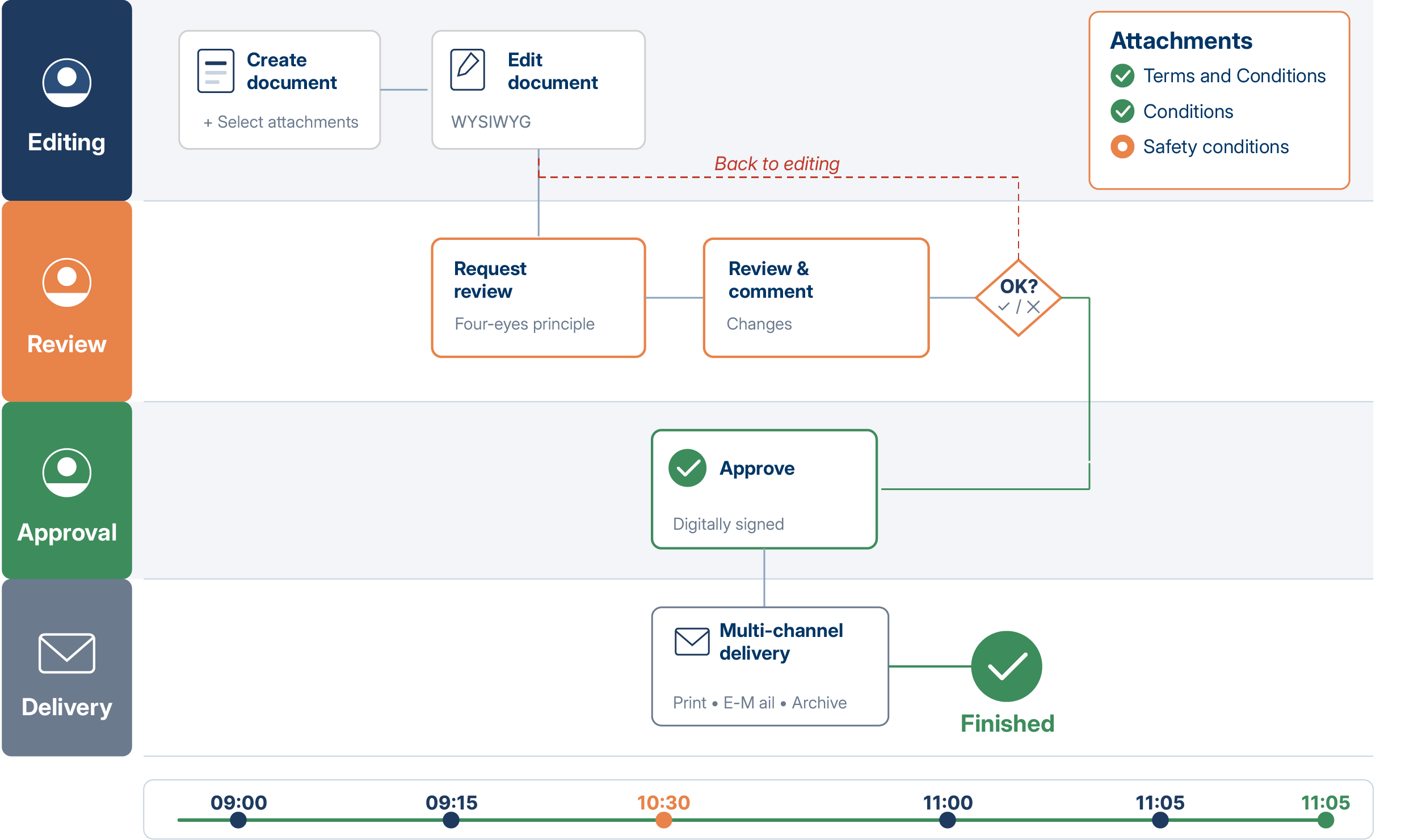
Guided document creation with workflow control
From the first draft to review and approval to archiving: INVARIS Interactive controls every step. Employees see their tasks in the cockpit, receive notifications, and edit documents directly in the browser. No forgotten approvals, no unclear responsibilities.
Complete transparency across every step of the process
You can see where a document is at any time, who is currently working on it, and which steps are still pending. Every workflow step is logged and traceable, for compliance requirements and quick clarification in case of queries.
Workflow configuration without programming
Define document-related workflows graphically: Set up input masks for data entry, approval processes, escalation rules, and notifications using drag-and-drop. Departments can customize processes themselves, without IT tickets or code. This allows technical requirements to be implemented efficiently, without traditional programming.
Integration into your business applications
INVARIS Interactive can be easily integrated into existing specialist systems via REST interfaces. Processes start from your systems, data flows in both directions, and FormStation can be seamlessly integrated. Administrators work either directly in the familiar interface or, when using Interactive, conveniently in the INVARIS GUI, which can be integrated.
Graphical definition of workflows
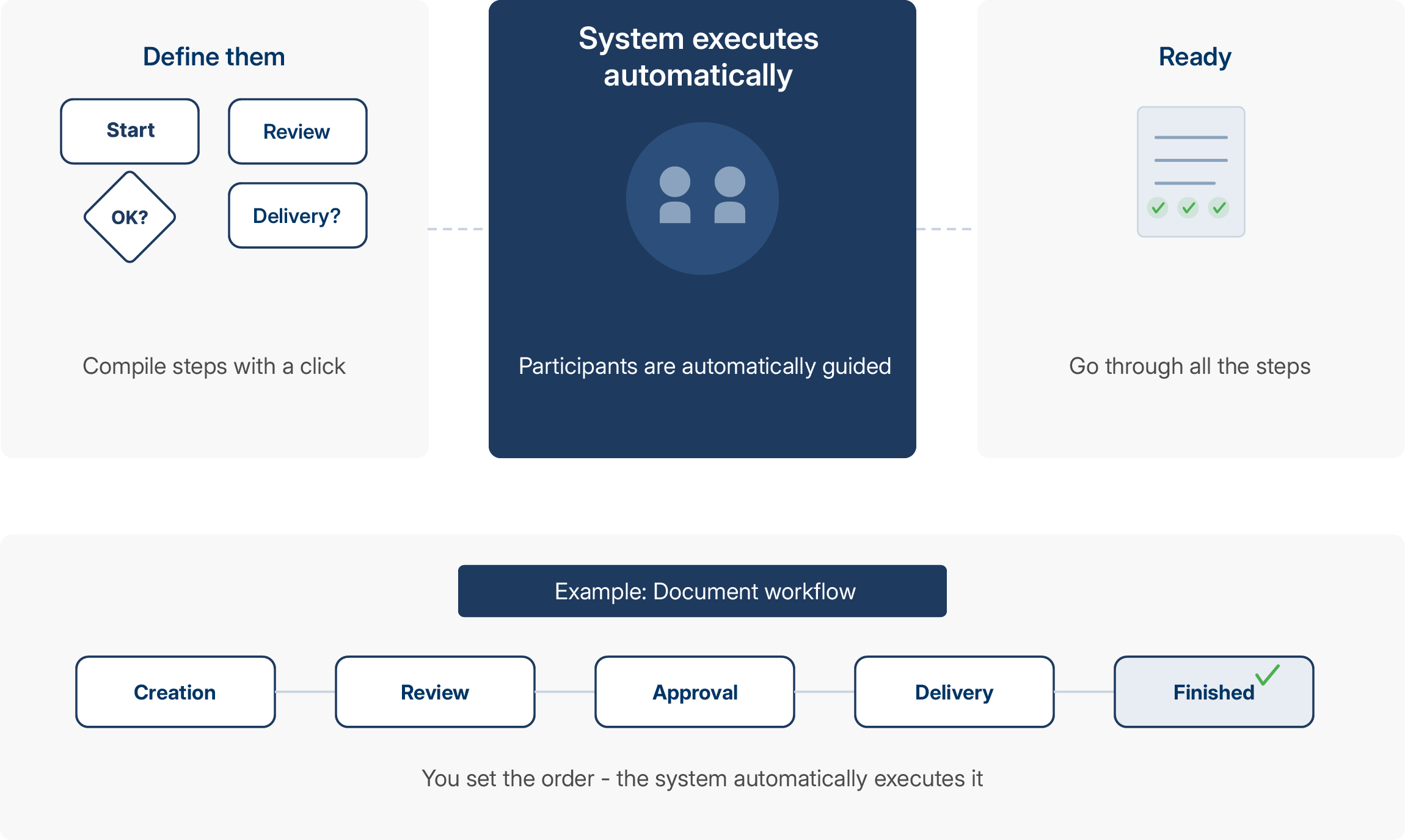
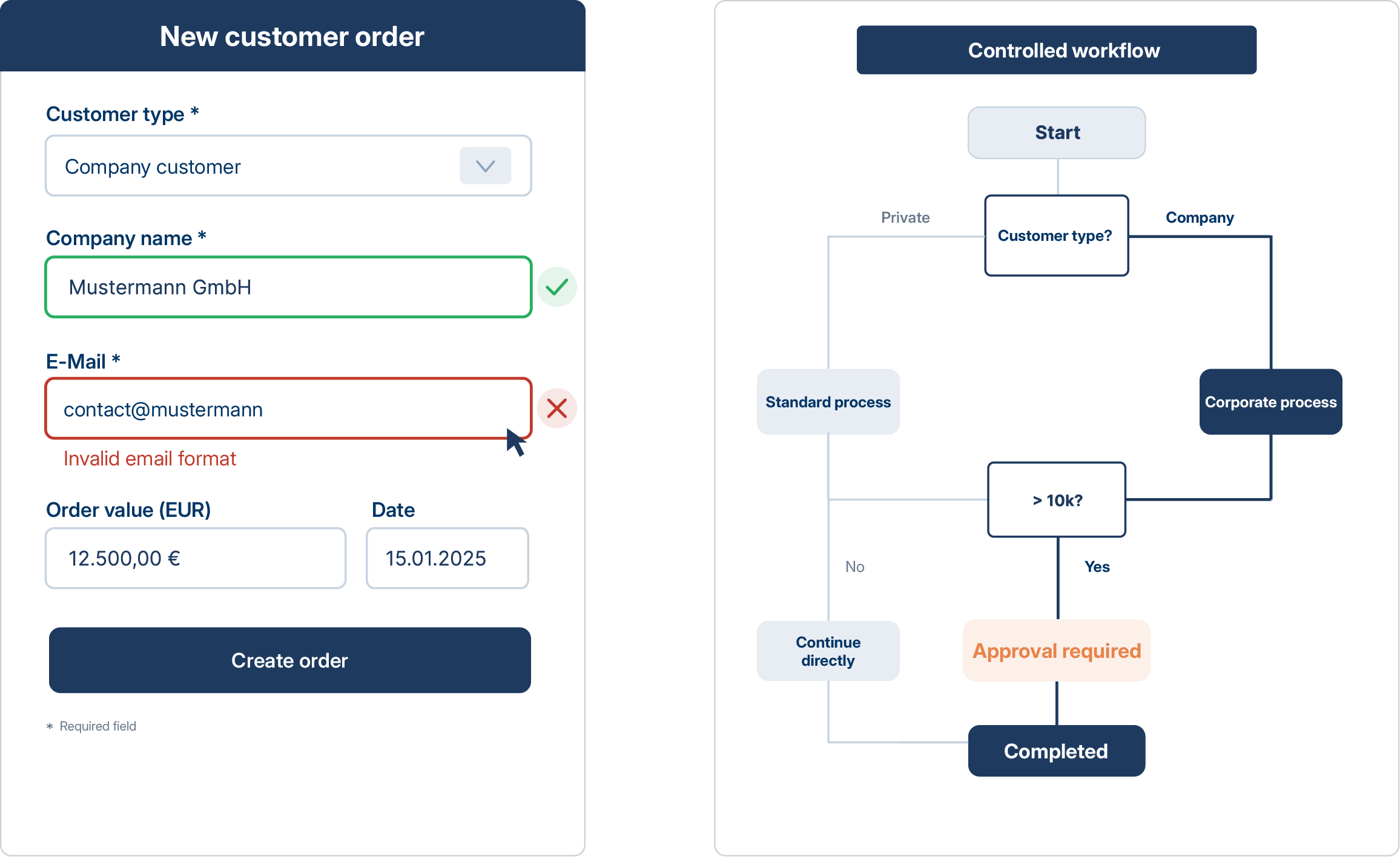
You define which steps a document goes through. Creation, review, approval, dispatch. Each stage is mapped in the Workflow Designer. Conditions and branches are added with a click. The system then automatically guides all participants through the process.
Automatic notifications and escalations
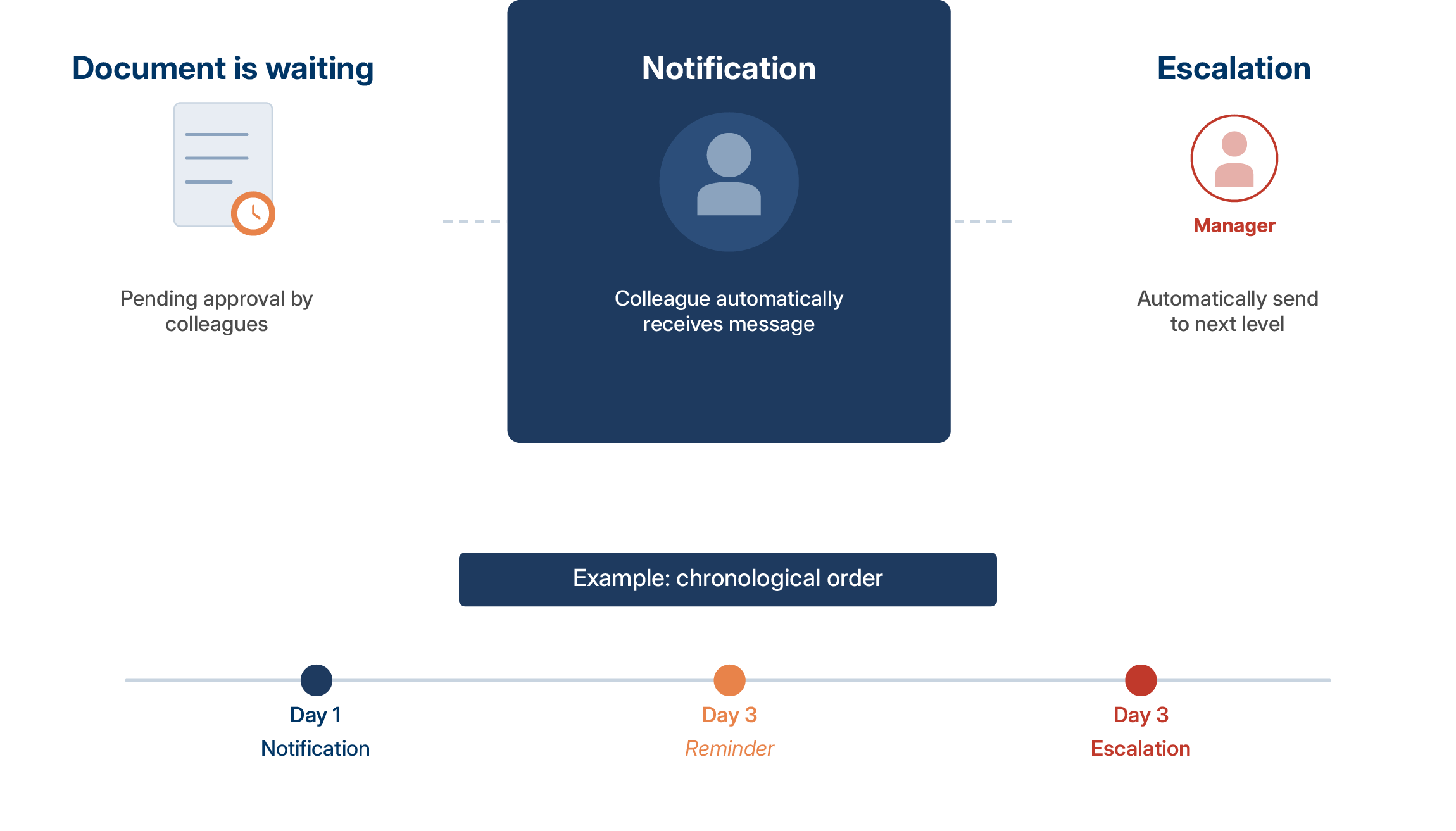
When a document is awaiting approval, the responsible colleague receives a notification. After a defined deadline, the system escalates to the next level. This keeps even urgent processes moving forward, without anyone having to follow up manually.
Administrator cockpit with task overview
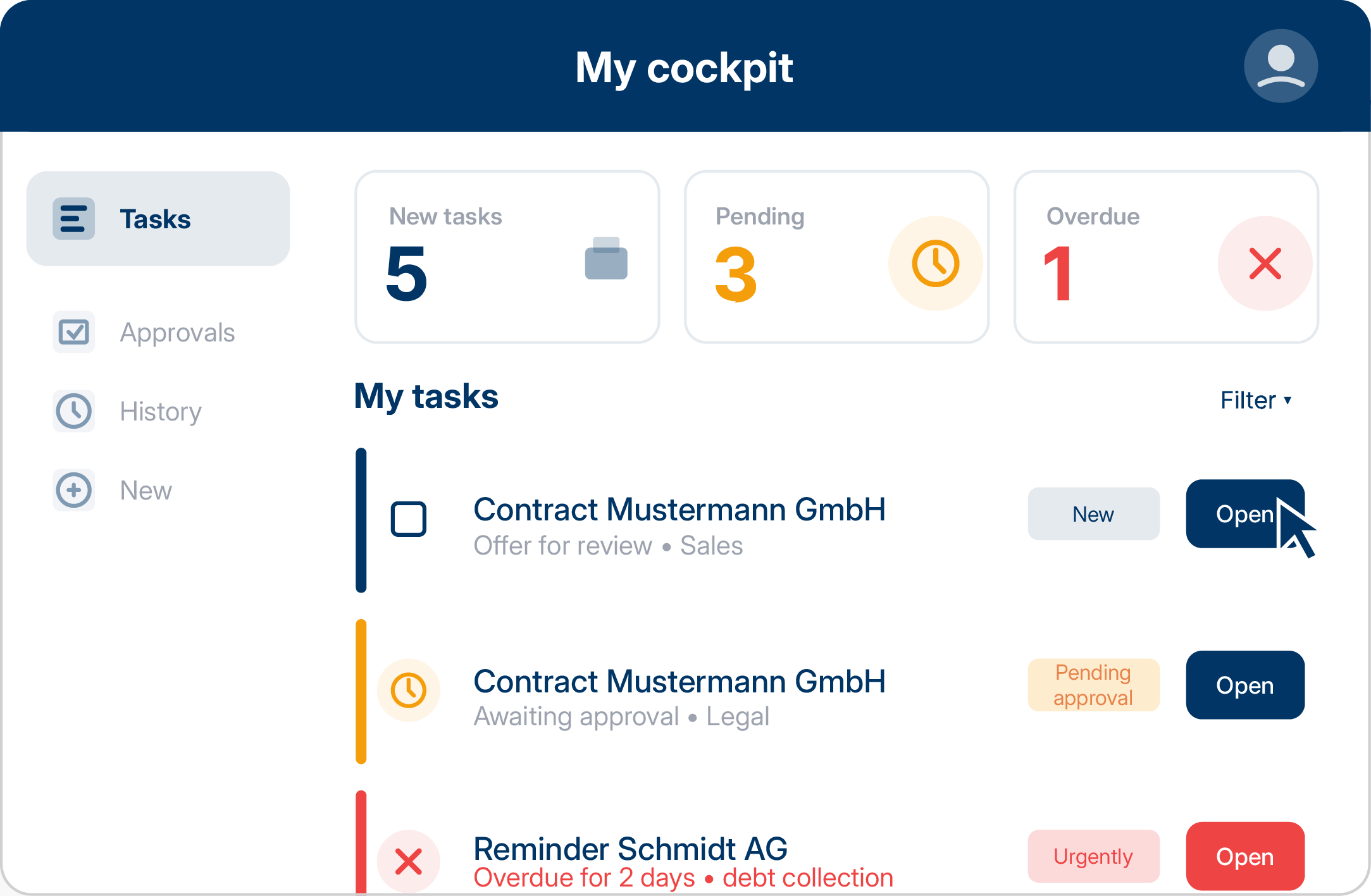
Each administrator can see their assigned tasks in their personal cockpit. New documents to process, pending approvals, overdue reviews: everything in one place. Email notifications inform you about new tasks. Processing starts directly from the overview.
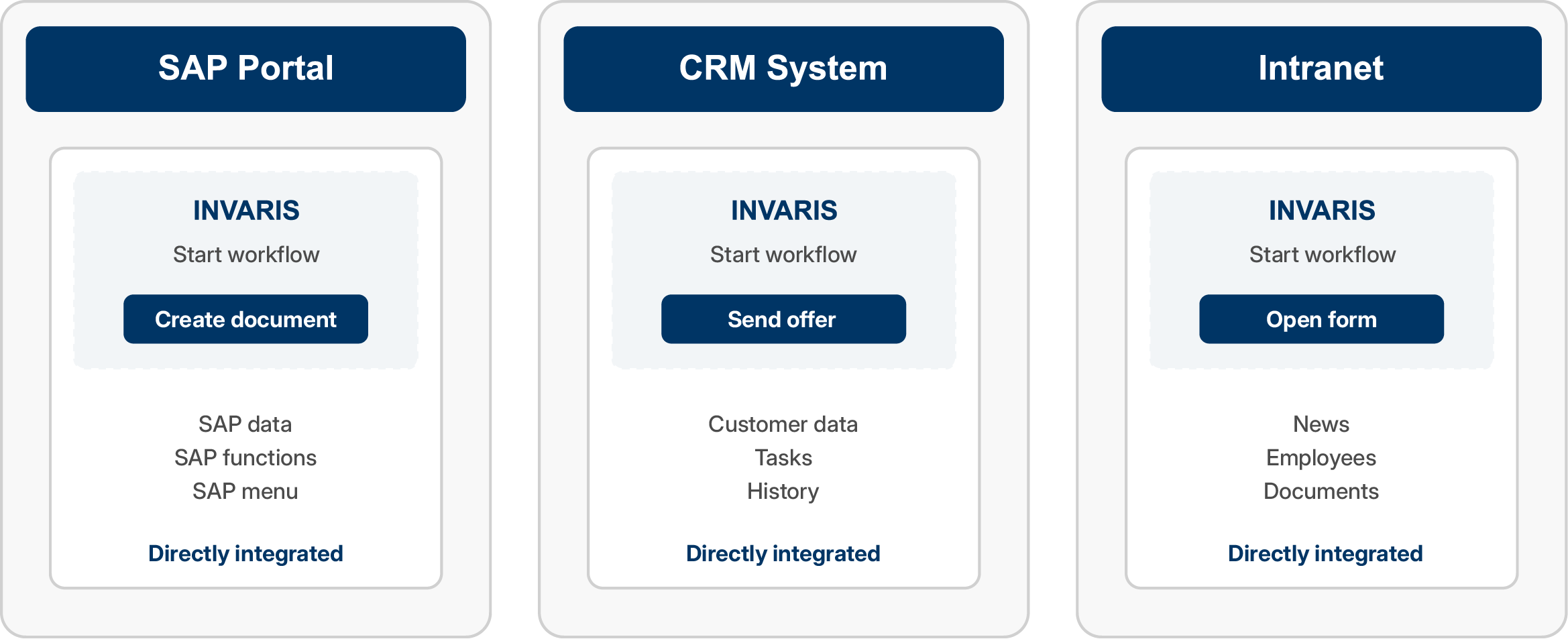
Integration into existing portal landscapes
INVARIS Interactive can be integrated into your specialist systems via REST interfaces. Employees launch workflows directly from SAP, CRM, or your intranet. No system switching, no additional login. The integrated document editor (FormStation) enables WYSIWYG editing directly in the browser.
Input masks for structured data capture
Define input masks for capturing and enriching data without programming. Mandatory fields, drop-down lists, validation rules: everything can be configured graphically. Administrators capture data in a structured manner, and errors are prevented directly during input. The captured data automatically controls the document content or workflow.
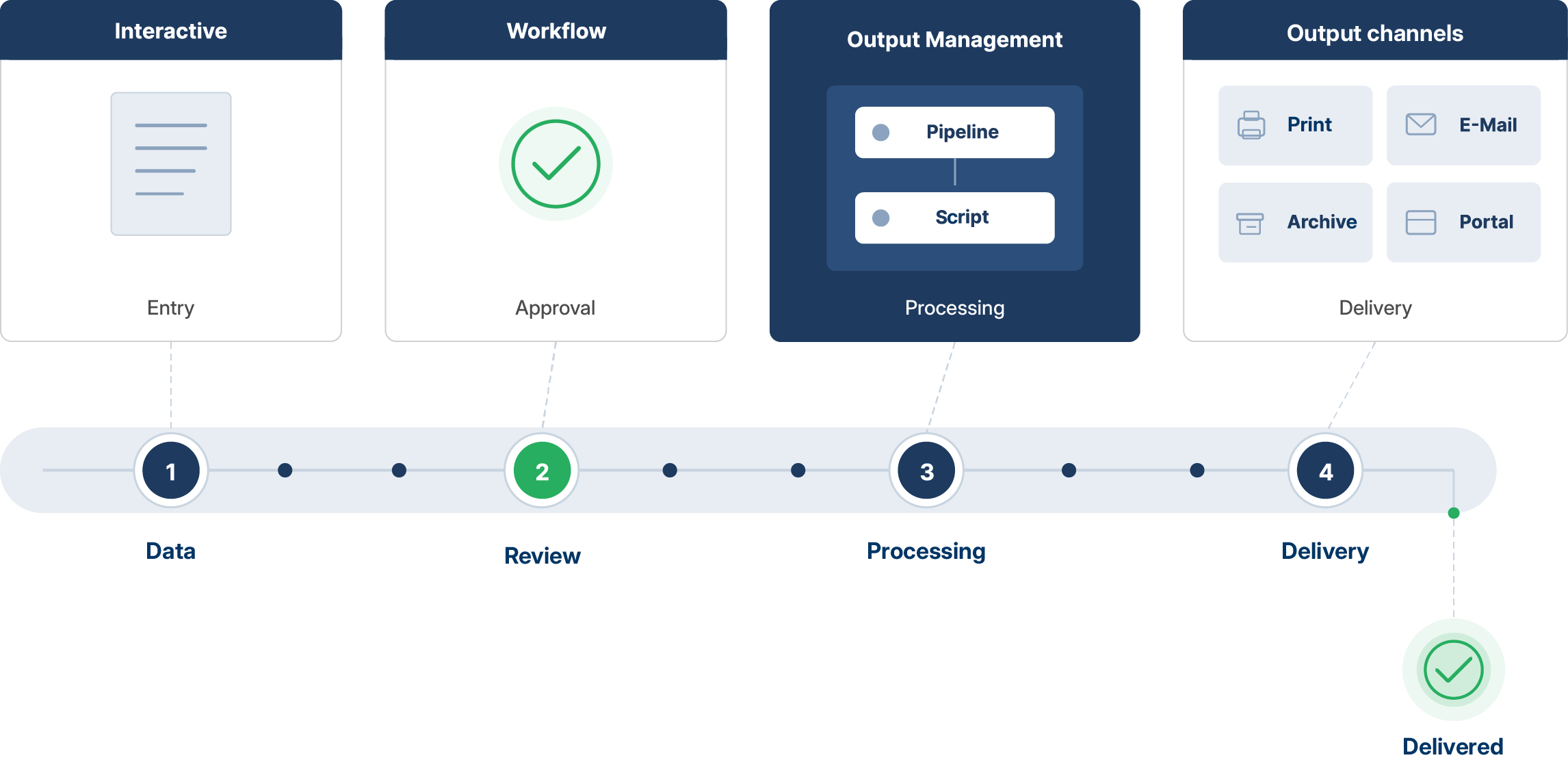
Connection to output management pipelines
Once approved, INVARIS Output Management takes over further processing. Workflows in Interactive use OM pipelines and scripts for document preparation, dispatch, or archiving. The entire process chain is fully automated, from data capture to delivery.
Talk to us
Do you have any questions about our solutions or would you like to have your project assessed? We are looking forward to talking to you.