Wenn Sie auf „AKZEPTIEREN“ klicken, stimmen Sie der Speicherung von Cookies auf Ihrem Gerät zu, um die Navigation auf der Website zu verbessern, die Nutzung der Website zu analysieren und unsere Marketingaktivitäten zu unterstützen. Weitere Informationen finden Sie in unserer Datenschutzerklärung.

The INVARIS platform at a glance

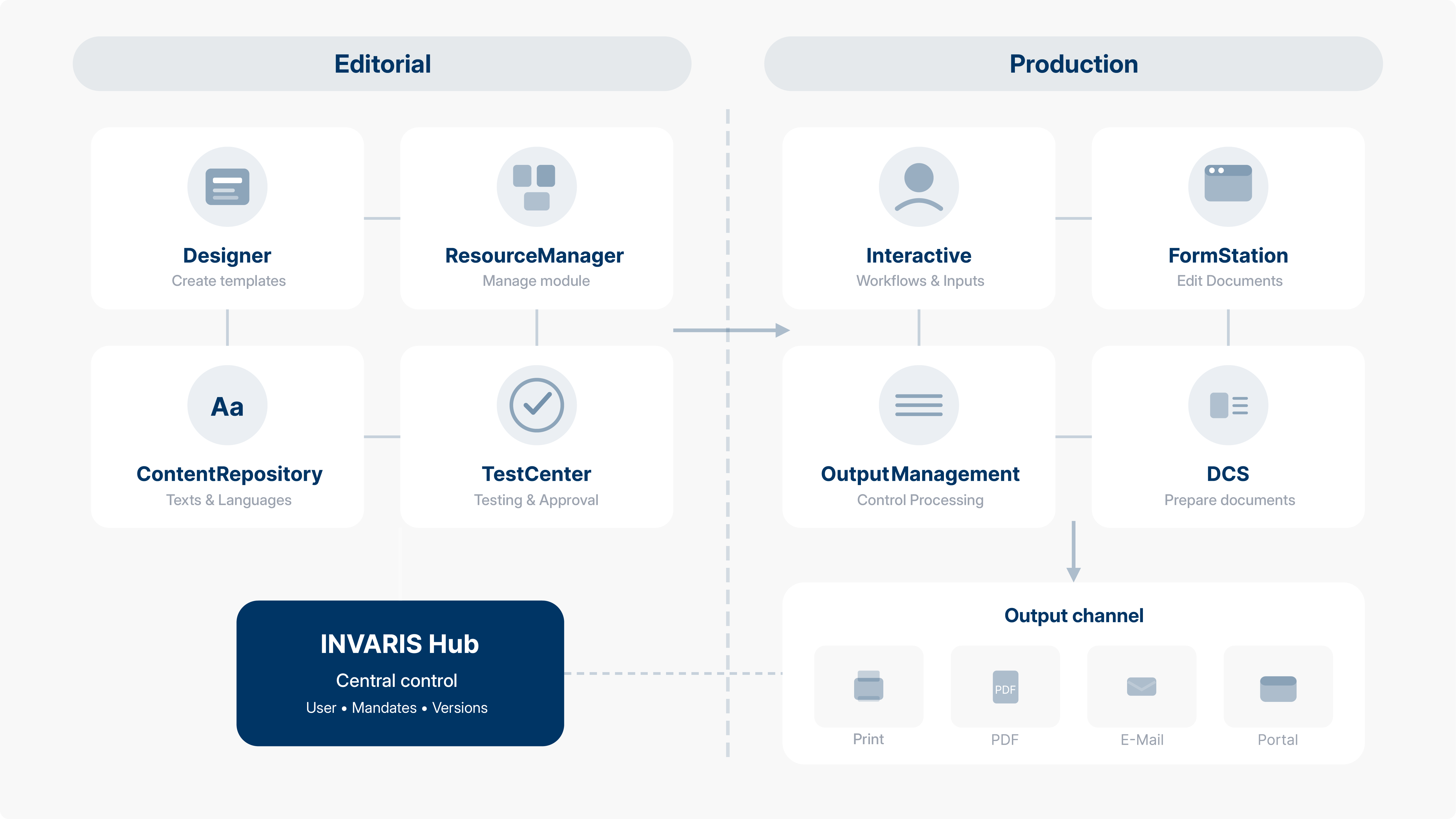
All modules work together, controlled by a central instance. This creates a continuous process from template creation to output.

Editorial (Preparation)

Your templates and content are created during the editorial phase. Here, departments work independently, without IT support for every text module or layout adjustment.

INVARIS Designer

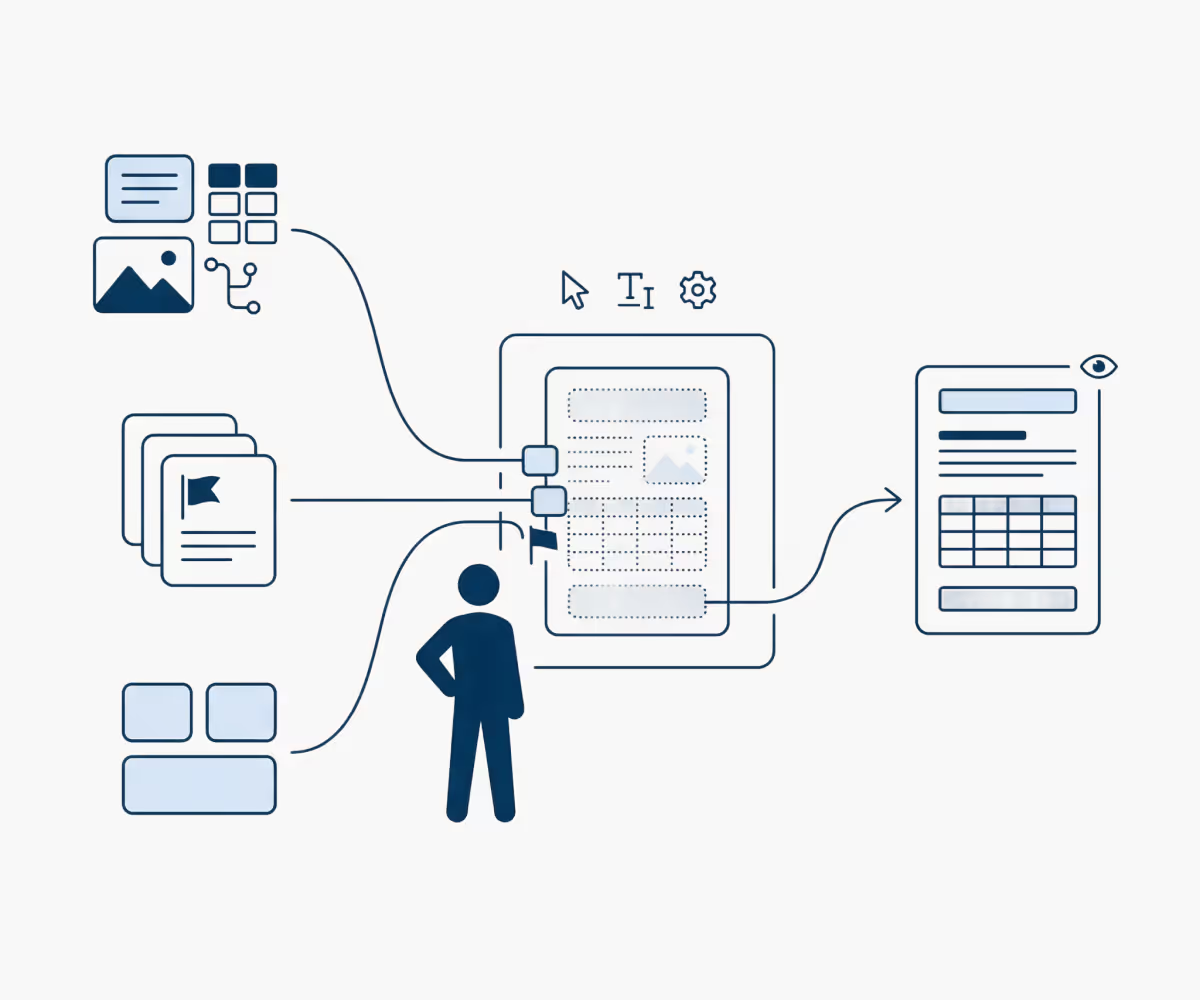
The INVARIS designer is that central tool for creating templates. Your employees visually design documents with a WYSIWYG preview and define which content appears when.

INVARIS Resource Manager

The INVARIS Resource Manager manages all templates and reusable components: blocks of text, tables, graphics, and logic components. Once created, they are available for all templates.

INVARIS Content Repository

Central administration of texts and languages with targeted variant management for branches, countries or brandings, while clients remain clearly separated and translation processes are managed centrally.

Diagramm einer Person, die verschiedene Medientypen und Dokumente in eine digitale Vorlage integriert, die anschließend als vollständiger Bericht mit Tabellen und Text angezeigt wird.
Diagramm zeigt einen Workflow von Dokumentenverarbeitung mit Symbolen für Einstellung, Austausch, Nutzerinteraktion und Dateiausgabe als PDF und E-Mail.

Production (Implementation)

In the production phase, data and templates are converted into finished documents, whether fully automatically in batch or interactive by specialists.

INVARIS Output Management (OM)

INVARIS OM controls the entire processing. Here, you configure pipelines, monitor running jobs, and scale processing as needed.

INVARIS DCS

DC'S (Document Composition Services) prepares the documents in the required format. The engine processes a wide variety of input formats and generates all desired output formats in parallel.

INVARIS Interactive

INVARIS Interactive enables process-guided document creation with defined workflows. Clerks are guided through input masks, approvals and processing steps are fully logged.

INVARIS FormStation

The INVARIS FormStation provides controlled document editing in the browser. Employees can adjust predefined areas while the system checks inputs and prevents errors.

INVARIS Hub: Central Control

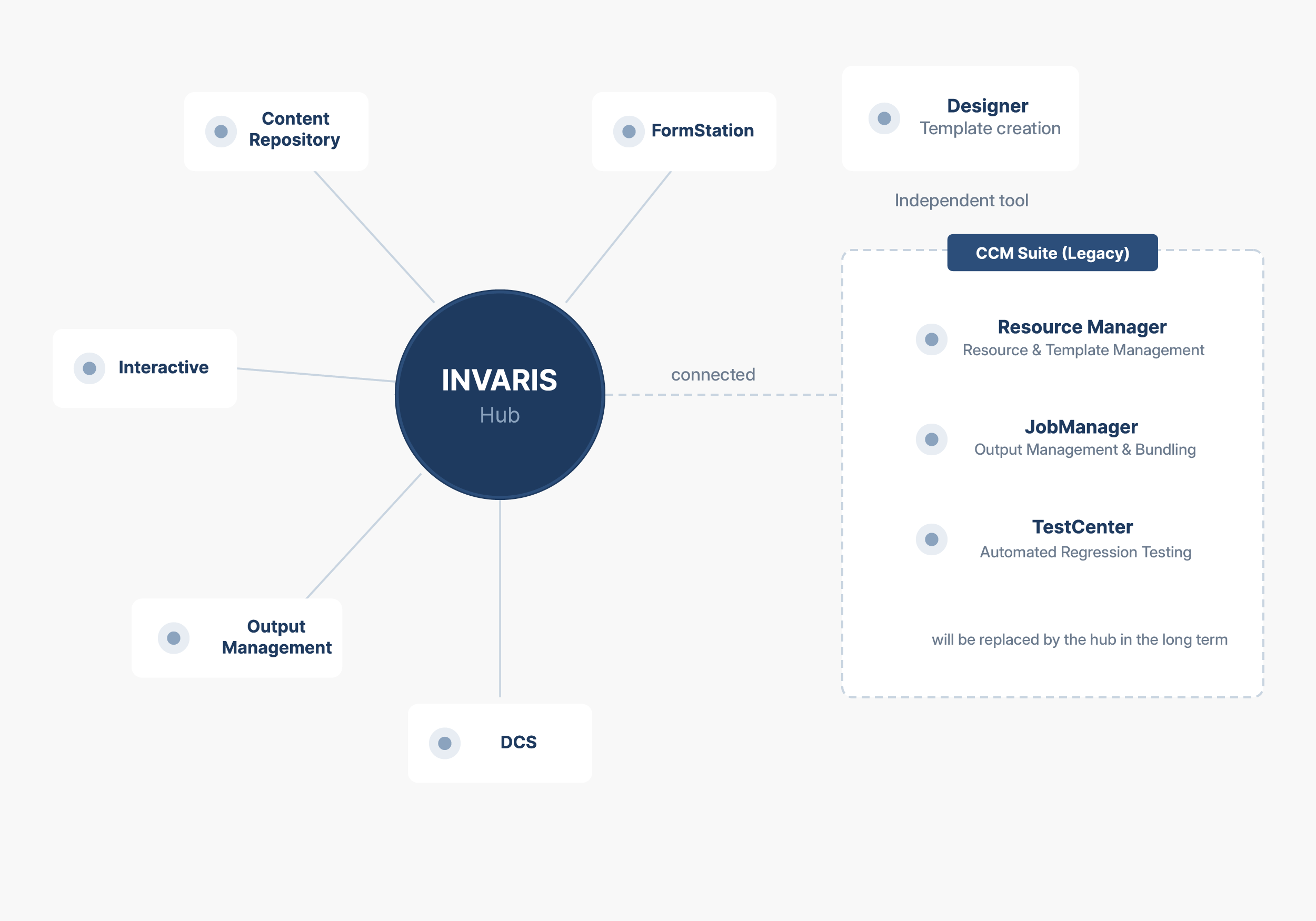
The hub connects all modules and ensures consistent governance. Here you manage users and roles, configure clients and environments, and control versions across all stages of staging. Every change to templates, modules or configurations goes through defined approval processes before it goes into production.

Output channels

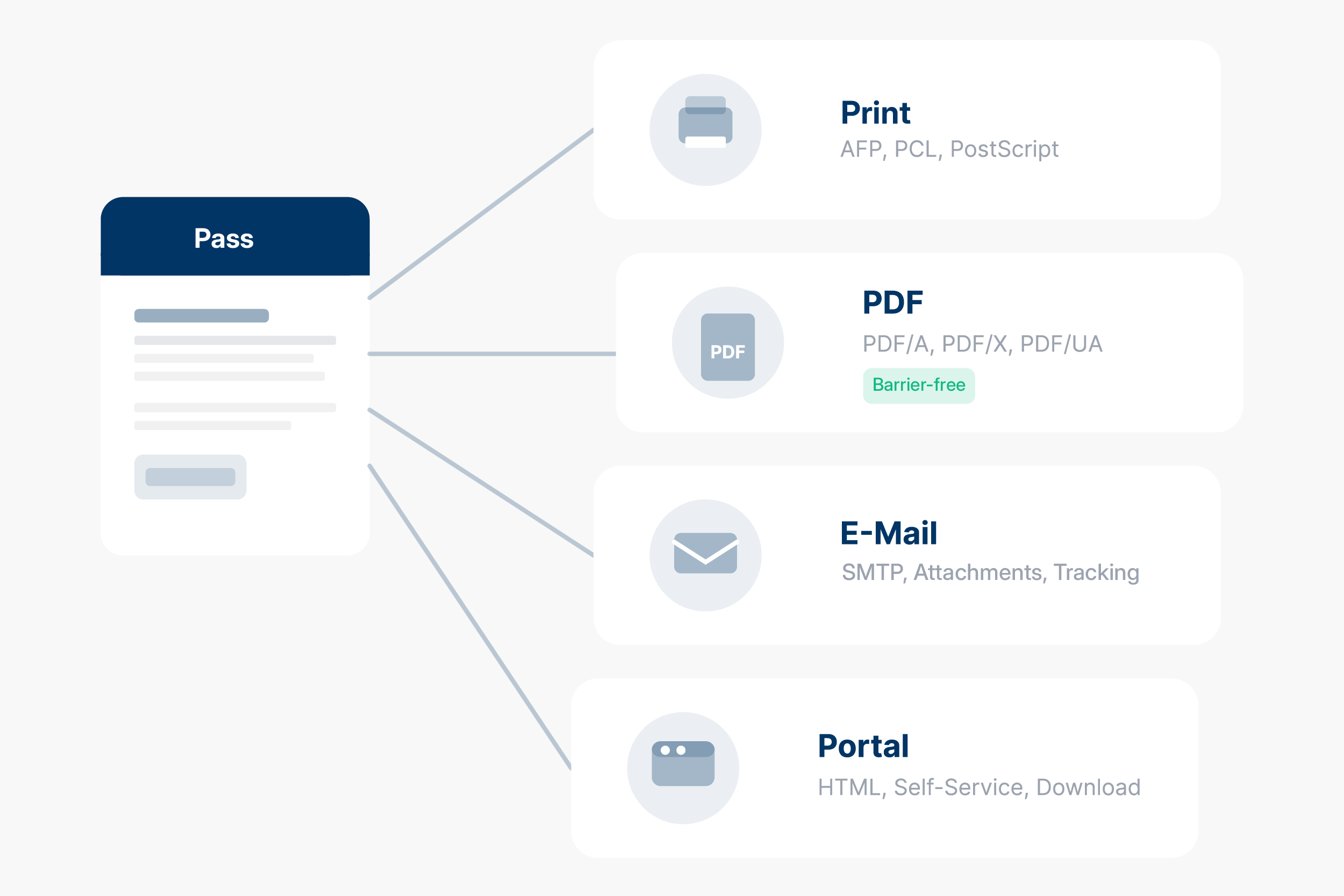
In the end, the output is on the channel that your customer expects: physical print, PDF in all variants including barrier-free PDF/UA, e-mail or delivery in the customer portal. All formats are created from a single processing run.

This is how INVARIS works

From data set to finished document

INVARIS guides your data through a clearly structured process and in the end delivers exactly the document that your customer needs, in the right format, via the right channel.

Step 1: Transfer data

Deliver your systems, INVARIS processes

INVARIS imports the data directly from your specialist applications. Whether from ERP, CRM, core banking systems or specialized processes: The platform processes all common formats and integrates seamlessly into your existing IT landscape.

Supported formats: XML, JSON, CSV, SAP formats (XFP, OTF, RDI, XSF) and line data

Connection: REST API, file interfaces, message queues

Step 2: Create and maintain templates

Design once, use anywhere

In Designer, your departments create templates themselves, without programming knowledge. Text modules, tables, graphics and logic components are managed centrally and can be reused in any number of templates. The result: fewer variants, consistent corporate design and quick adjustments when changes occur.

A template covers all output formats, from print to PDF to online forms.

Step 3: Produce documents

Batch or on-demand, millions of times or individually

Document processing (DCS) transforms your data and templates into finished documents. Whether it's a daily mass mailing with hundreds of thousands of letters or a single document at the push of a button: Processing is optimized for both scenarios.

Output management controls the entire process, monitors processing in real time and automatically scales when volumes are high.

Step 4: Edit interactively (optional)

When people get involved

Not every document is fully automated. The FormStation enables controlled editing in the browser, with checks as you type and predefined text modules. For more complex processes, Interactive controls the entire workflow: from creation to approvals to archiving, with full logging of every step.

Step 5: Output to all channels

One run, all formats

All required output formats are created in parallel from a single processing run. The JobManager bundles, sorts and optimizes output, for example for postage optimized shipments or handover to print service providers.

Output channels: Print (AFP, PCL, PostScript), PDF in all variants including barrier-free PDF/UA, email, customer portals, archives, HTML and images.

Talk to us

Do you have any questions about our solutions or would you like to have your project assessed? We are looking forward to talking to you.